
Download Vid Lite – video player, free video player, Android video app, multimedia app, MP4 player, video playback tool, media player, offline video viewer, video app for Android
Overview
Vid Lite is a lightweight multimedia application designed for Android devices, offering a streamlined solution for video playback. The software aims to simplify how users access and enjoy their video content by supporting a broad range of formats, including MP4, MKV, and AVI. This ensures compatibility with most common video files stored locally on mobile devices. The application is particularly useful for users who frequently watch movies, music videos, or personal recordings without relying on internet connectivity.
Targeted at consumers and casual media enthusiasts, Vid Lite provides a no-frills experience focused on performance and accessibility. Its minimalistic design emphasizes usability, allowing users to start playing videos quickly without navigating complex menus. Real-world usage scenarios include watching downloaded films during commutes, viewing home videos in landscape mode, or tuning audio preferences with the built-in 5-band equalizer. The app supports offline playback, making it ideal for environments with limited or no internet access.
Developed by SoftPas, Vid Lite aligns with the growing demand for efficient, free media tools on mobile platforms. The developer did not provide additional details about their background or other products. The application’s release date was April 15, 2024, indicating it is a relatively recent entry in the Android media player space.
Key Features & Capabilities
- Multi-format support: Plays a wide variety of video formats, including MP4, MKV, and AVI, reducing the need for file conversion.
- 5-band equalizer: Allows users to customize audio output for enhanced listening experiences, particularly useful for music videos or high-quality audio tracks.
- Gesture controls: Enables volume and brightness adjustments via touch gestures, improving accessibility during playback.
- Auto-rotate and landscape mode: Automatically adjusts screen orientation for a more immersive viewing experience, especially on larger screens.
- Smart folder scan: Automatically detects and organizes media files, simplifying navigation through large local libraries.
- Offline playback: Fully functional without an internet connection, enabling uninterrupted viewing anytime and anywhere.
These features collectively address common pain points in mobile video consumption, such as format incompatibility, poor audio quality, and cumbersome file management. For example, the smart folder scan helps users locate videos quickly, while gesture controls allow for intuitive adjustments without interrupting playback. The ability to switch to landscape mode ensures optimal viewing on tablets or when using external displays. The offline functionality is especially valuable for travelers or users in areas with unreliable connectivity.
User Interface, Workflow & Performance
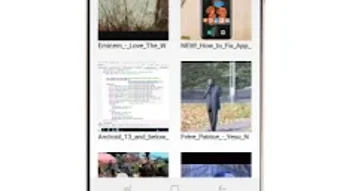
The user interface of Vid Lite is described as minimalistic, prioritizing clarity and ease of use. Navigation is designed to be straightforward, with essential playback controls accessible from the main screen. The layout likely features a clean video preview area flanked by playback buttons, volume indicators, and gesture-responsive zones. This design reduces visual clutter and helps users focus on content.
Workflow efficiency is enhanced by features like auto-rotate and smart folder scanning, which minimize manual steps. Users can initiate playback with minimal interaction, and the app adapts to device orientation changes automatically. The developer did not specify resource usage details, so exact performance metrics such as CPU or RAM consumption remain unknown. However, the application’s file size of 18.7 MB suggests it is optimized for low-storage environments.
Stability and responsiveness are expected to be consistent with typical Android applications of this category. Performance observations are based on general software behavior patterns. The app appears to be designed for smooth playback without buffering, especially for locally stored files. No reports of crashes or freezes were provided, but user feedback was not included in the input.
Compatibility & System Requirements
Vid Lite is available for Android devices, though specific version requirements were not listed. The application’s file size is 18.7 MB, which is relatively small and suggests low storage demands. The developer did not provide detailed hardware requirements, such as minimum RAM or processor specifications.
Compatibility information was partially provided. While the app is confirmed to run on Android, exact OS version support (e.g., Android 6.0 or higher) is not specified. Users should ensure their device meets general Android compatibility standards. The developer did not indicate whether the app supports tablets, wearables, or other form factors. For users seeking broader device coverage, further clarification from the developer may be necessary.
Pros and Cons
Pros
- Supports multiple video formats, including MP4, MKV, and AVI
- Free to download and use with no in-app purchases
- Offers offline playback for uninterrupted viewing
- Features a built-in 5-band equalizer for audio customization
- Includes gesture controls for volume and brightness
- Minimalistic UI improves usability and reduces distractions
Cons
- Exact system requirements were not listed
- Compatibility with older Android versions is unclear
- No information on cloud integration or streaming support
- Developer background and additional products not disclosed
- Performance data, such as battery or RAM usage, was not provided
FAQ Section
Is Vid Lite available for iOS devices?
Vid Lite is currently available only for Android devices. No information was provided about iOS compatibility or future release plans.
Does Vid Lite require an internet connection to play videos?
No, Vid Lite supports offline playback. Users can watch videos stored on their device without needing an internet connection.
Can I use Vid Lite to stream videos from the internet?
The provided information does not confirm streaming capabilities. The app is primarily designed for local video playback.
Is Vid Lite safe to download and use?
Vid Lite is described as a free Android application developed by SoftPas. It does not include reported security warnings. However, users should always download apps from trusted sources to ensure safety.
How often are updates released for Vid Lite?
The release date was April 15, 2024. No information was provided about update frequency or version history beyond the current version (2.1.5).
Final Thoughts
Vid Lite presents a compelling option for Android users seeking a reliable, free video player with broad format support and essential features. Its minimalistic design, offline playback, and gesture-based controls contribute to a smooth and intuitive experience. The inclusion of a 5-band equalizer adds value for users who care about audio quality. While the lack of detailed system requirements and update history limits deeper evaluation, the app’s lightweight footprint and core functionality make it a strong candidate for casual viewers and media enthusiasts alike.
For those looking for a no-cost, efficient tool to play MP4, MKV, and AVI files on Android, Vid Lite delivers on its promises. It stands out in a crowded market by focusing on simplicity and performance without unnecessary bloat.
Download Vid Lite now







